

Whichever device wins for you, it still needs a reliable IPTV service in Canada behind it.
Written by the StreamX Editorial Team — Updated October 2026
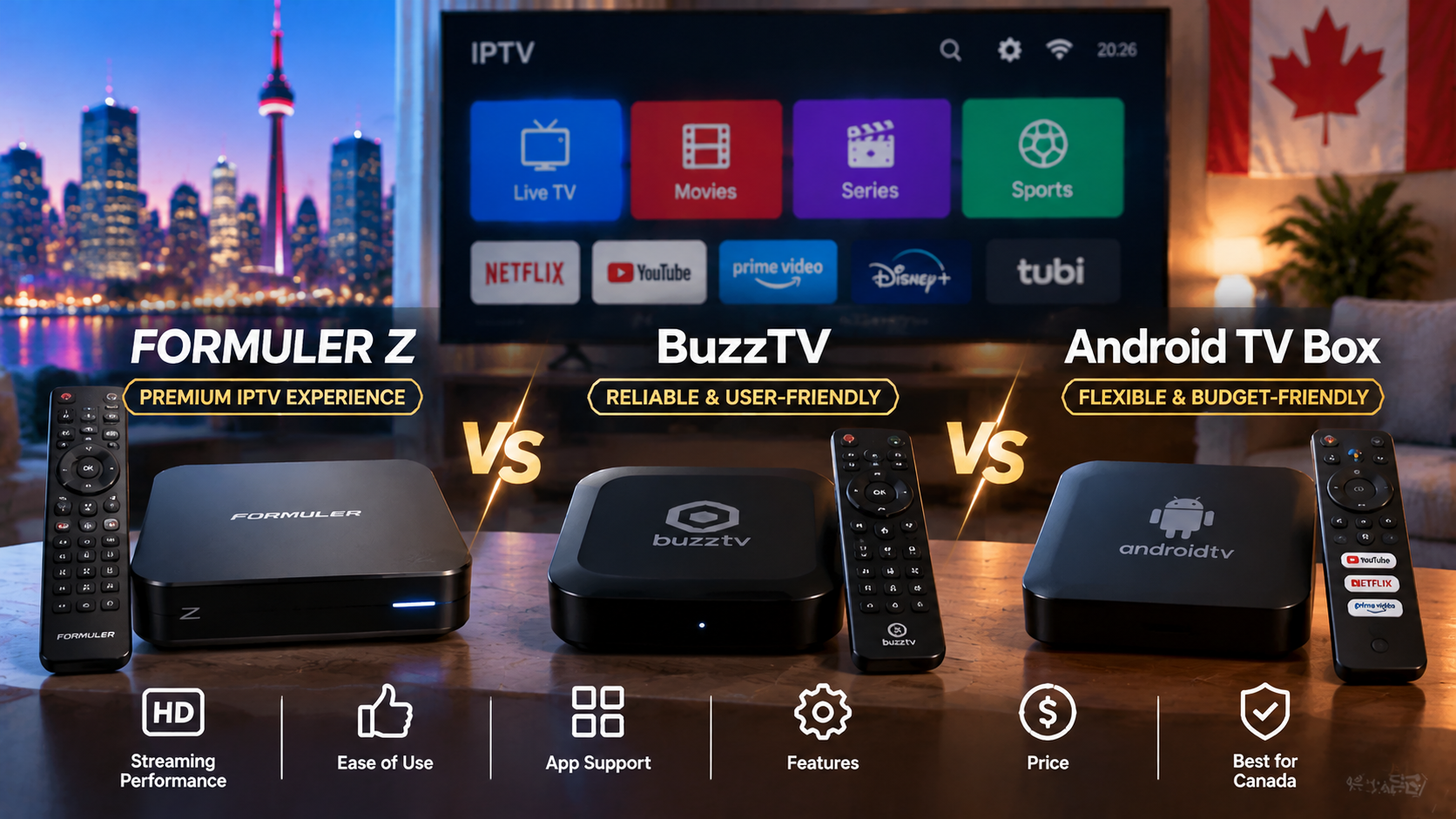
If you want a proper box for IPTV rather than a streaming stick, three options dominate Canadian living rooms: Formuler’s Z series with MYTVOnline, BuzzTV’s IPTV boxes, and general-purpose Android TV / Google TV boxes like the Nvidia Shield. All three run Android and all three can deliver an excellent IPTV experience — but they are built with different priorities. This comparison helps you pick the right one for your household.
Quick answer: Choose Formuler if you want MYTVOnline’s polished cable-style interface and strong portal support. Choose BuzzTV if you want a dedicated IPTV remote and built-in player with recording. Choose a certified Android TV box (e.g. Nvidia Shield or Google TV Streamer) if you also want the best Netflix, YouTube and app support with long-term updates, and are happy to use TiviMate or Smarters as your IPTV player.
Head-to-Head Comparison
| Formuler Z series | BuzzTV | Certified Android TV box | |
|---|---|---|---|
| Built-in IPTV player | MYTVOnline | BuzzTV player | None — install TiviMate, Smarters, etc. |
| Login types | Portal/MAC and Xtream | Xtream and portal | Depends on chosen app |
| Remote | IPTV-focused, programmable | IPTV-focused, programmable | Standard streaming remote |
| Recording | Yes (USB) | Yes on many models (USB) | Via app (e.g. TiviMate Premium) |
| Google certification / streaming apps | Varies (GTV models certified) | Varies by model | Yes — best app support |
| Software updates | From Formuler | From BuzzTV | From manufacturer + Google |
| Ethernet | Yes | Yes | Yes on most |
| Typical price | Mid to high | Mid to high | Low to high |
Formuler Z Series
Strengths: MYTVOnline is one of the most refined IPTV interfaces available, with fast channel switching, recording and excellent portal support. Weaknesses: premium price; not every model is Google-certified. Setup details in our Formuler Z setup guide.
BuzzTV
Strengths: purpose-built player and remote that feel like a cable box; widely sold in Canada; recording on many models. Weaknesses: price, and streaming app support varies by model. Read our BuzzTV review and BuzzTV setup guide.
Certified Android TV / Google TV Boxes
Strengths: official Google Play, full Netflix/Crave/YouTube support in 4K, long update life on premium models like the Nvidia Shield, and freedom to choose any IPTV player. Weaknesses: no built-in IPTV player — you set up TiviMate or Smarters yourself; standard remotes. See our Android TV box setup guide and our pick of the best Android TV boxes in Canada.
Specs Compared (2026 Models)
The table above covers how each box works day to day. This one is for buyers who care about the hardware — the chips, memory and video support on the most popular current models.
| Spec | Formuler Z11 Pro Max | BuzzTV XRS4900 | Nvidia Shield TV Pro | Google TV Streamer |
|---|---|---|---|---|
| Processor | Realtek RTD1319C | Amlogic S922X | Nvidia Tegra X1+ | Amlogic quad-core |
| RAM | 4 GB DDR4 | 4 GB DDR4 | 3 GB | 4 GB |
| Storage | 32 GB | 128 GB (+ 2.5″ SATA bay) | 16 GB | 32 GB |
| Operating system | Android 11 + MYTVOnline 3 | Android 9 + BuzzTV 5 | Android TV | Google TV |
| Max video | 4K @ 60fps | 4K (HDMI 2.1) | 4K @ 60fps + AI upscaling | 4K @ 60fps |
| HDR | HDR10+, HLG | HDR10 | Dolby Vision, HDR10 | Dolby Vision, HDR10+ |
| Networking | Wi-Fi 6, Gigabit LAN | Wi-Fi 5, Gigabit LAN | Wi-Fi 5, Gigabit LAN | Wi-Fi 5, LAN via adapter |
| Built-in IPTV player | Yes (MYTVOnline 3) | Yes (BuzzTV player) | No — add TiviMate/Smarters | No — add TiviMate/Smarters |
| Best for | Portal/MAC + cable-style UI | Recording + big local storage | Best apps & longevity | Cheapest certified 4K + Dolby Vision |
What Each One Costs in Canada (2026)
The box is a one-time purchase and is completely separate from your monthly subscription. As a rough guide to 2026 street prices in Canada, the Formuler Z11 Pro Max runs about CA$230–270, the BuzzTV XRS4900 about CA$200–250, the Nvidia Shield TV Pro about CA$270–300, and the Google TV Streamer about CA$120–140. Prices move with sales and retailer, so treat these as ballpark figures.
Whichever box you choose, it is only as good as the service behind it — pair it with a reliable IPTV subscription in Canada, and if you want true Ultra HD, check our 4K IPTV guide for the bandwidth and HDR details.
Which One Should You Buy?
| Your priority | Best choice |
|---|---|
| Easiest for parents and grandparents | Formuler or BuzzTV |
| Portal/MAC service from your provider | Formuler |
| Built-in recording without app purchases | Formuler or BuzzTV |
| Best Netflix, Crave and YouTube experience | Certified Android TV box |
| Longest software support | Nvidia Shield |
| Lowest cost | Fire TV Stick 4K Plus or budget certified box — see best Firestick |
Avoid Uncertified No-Name Boxes
Whatever you choose, avoid cheap uncertified Android boxes from unknown brands. They often run outdated software without security updates. Check certification on Google’s Play Protect certified devices page, and read our IPTV box explainer for more.
Test Before You Buy
All three device types work with StreamX. Test the service first on a device you already own with a free 24-hour trial, then choose your hardware with confidence. Plans are on our pricing page, and our IPTV box guide covers more models.
Frequently Asked Questions
Is Formuler or BuzzTV better for IPTV?
Both are excellent dedicated IPTV boxes. Formuler is known for its MYTVOnline interface and portal support, while BuzzTV offers a cable-style built-in player and remote. Choose based on interface preference and price.
Is an Nvidia Shield better than Formuler for IPTV?
The Shield offers the best overall performance, app support and long-term updates, but has no built-in IPTV player. Formuler offers a more cable-like IPTV experience out of the box.
Do Formuler and BuzzTV run TiviMate?
Yes. Both run Android, so you can install TiviMate or IPTV Smarters in addition to their built-in players.
Which IPTV box is easiest for seniors?
Formuler and BuzzTV are usually easiest thanks to their cable-style interfaces and dedicated remotes.
Are certified Android TV boxes worth the extra cost?
Yes, if you also use Netflix, Crave and YouTube or want long-term security updates.
Which IPTV box is best for 4K and Dolby Vision?
For Dolby Vision, the Nvidia Shield TV Pro and the Google TV Streamer are the strongest picks — both output Dolby Vision and HDR10. The Formuler Z11 Pro Max does excellent 4K at 60fps with HDR10+ and HLG, but not Dolby Vision. If your TV supports Dolby Vision and you want to use it, lean toward a certified Google/Android TV box.
Can I just use a Firestick instead of one of these boxes?
You can, and for many people a Firestick is enough. The trade-off is processing power, storage and the lack of an Ethernet port on most sticks, so a dedicated box handles large playlists, recording and wired connections better. If you would rather go the stick route, see our guide to the best Firestick for IPTV in Canada.
Do these IPTV boxes need a VPN?
A VPN is not required to use any of these boxes, but some Canadians use one for privacy on their connection. All four can run a VPN app, with the Android and Google TV boxes being the easiest. See our best VPN for IPTV guide if you want the details.







