

Written by the IPTVCND Editorial Team — Updated October 2026
You bought a big 4K TV, so naturally you want 4K TV to go with it. IPTV can deliver Ultra HD — but there is a lot of confusion about what “4K IPTV” really means. Most live TV in Canada is still broadcast in HD, some “4K channels” are simply HD channels upscaled, and even true 4K streams can look worse than HD if your device, cable or internet connection cannot keep up. This guide explains what is genuinely available in 4K, what equipment and speed you need, and how to set everything up so it is worth it.
Quick answer: To watch 4K IPTV you need a 4K TV, a 4K-capable streaming device (such as a Fire TV Stick 4K Max, Nvidia Shield or Apple TV 4K), a High Speed HDMI cable, and a stable connection of at least 25 Mbps per 4K stream. True 4K content is mostly select live sports events and on-demand movies; most everyday channels are HD. StreamX includes 4K channels on every plan, so you can test them during a free 24-hour trial.
What “4K” Actually Means
4K (also called Ultra HD or UHD) has a resolution of 3840 × 2160 pixels — four times as many pixels as 1080p Full HD. On a large TV, that means sharper detail, especially in wide shots like a full hockey rink or a football field. 4K is often paired with HDR (High Dynamic Range), which improves brightness, contrast and colour; in many cases, HDR makes a bigger visible difference than resolution alone.
What Is Really Available in 4K in Canada?
| Content type | 4K availability | Notes |
|---|---|---|
| Live sports | Select games and events | Canadian sports networks broadcast a growing number of NHL, MLB and marquee events in 4K, plus international events like major tournaments |
| Regular TV channels | Mostly HD | News, specialty and most network programming are produced in HD (720p or 1080i) |
| On-demand movies | Widely available | Many recent films are available in 4K in IPTV VOD libraries and streaming services |
| Streaming originals | Widely available | Netflix Premium and Crave Premium offer 4K tiers |
In other words, 4K is a premium extra for big games and movies, not something you watch all day. Check broadcasters such as Sportsnet and TSN for their current 4K schedules.
Real 4K vs Upscaled “4K”
Some IPTV lineups label channels “4K” or “UHD” when the source is actually HD that has been upscaled. Upscaled content can look slightly sharper, but it is not true 4K. Ways to tell:
- Press the info button on your TV or app — real 4K streams report 3840×2160.
- True 4K sports usually look noticeably crisper in wide shots; upscaled feeds look like good HD.
- If a “4K” channel never shows HDR on your TV even during a 4K HDR broadcast, it is probably not the native feed.
Your TV also upscales HD to fit its 4K panel, and good TVs do it very well. So HD content will still look good on a 4K screen.
What You Need for 4K IPTV
| Component | Requirement | Recommended |
|---|---|---|
| TV | 4K resolution, ideally with HDR10 / Dolby Vision | Any recent mid-range or better 4K HDR TV |
| Streaming device | 4K and HEVC (H.265) decoding | Fire TV Stick 4K Max, Nvidia Shield, Apple TV 4K, good Android TV boxes |
| HDMI | HDMI 2.0 or newer port and High Speed cable | Use the TV’s HDMI port marked 4K/HDR or eARC |
| Internet | 25 Mbps per 4K stream (more is better) | Wired Ethernet or strong 5/6 GHz Wi-Fi |
| Player app | Supports 4K playback | TiviMate, IPTV Smarters Pro, Apple TV players |
Choosing hardware? See our guides to the best Firestick for IPTV — avoid Vega OS models if you plan to sideload apps — and our IPTV box guide. Apple users should read IPTV on Apple TV.
Internet Speed and Data for 4K
4K streams use much more bandwidth than HD. As a rule of thumb:
- HD: about 10–15 Mbps per stream, roughly 3 GB per hour.
- 4K: about 25 Mbps or more per stream, roughly 7 GB per hour or more.
If two people watch 4K and a third watches HD at the same time, you need around 65–75 Mbps of stable bandwidth. Test your evening speed with Speedtest. Most Canadian fibre and cable plans handle this easily; capped rural plans may not. Our guides to internet speed for IPTV and IPTV data usage go deeper.
Settings for the Best 4K Picture
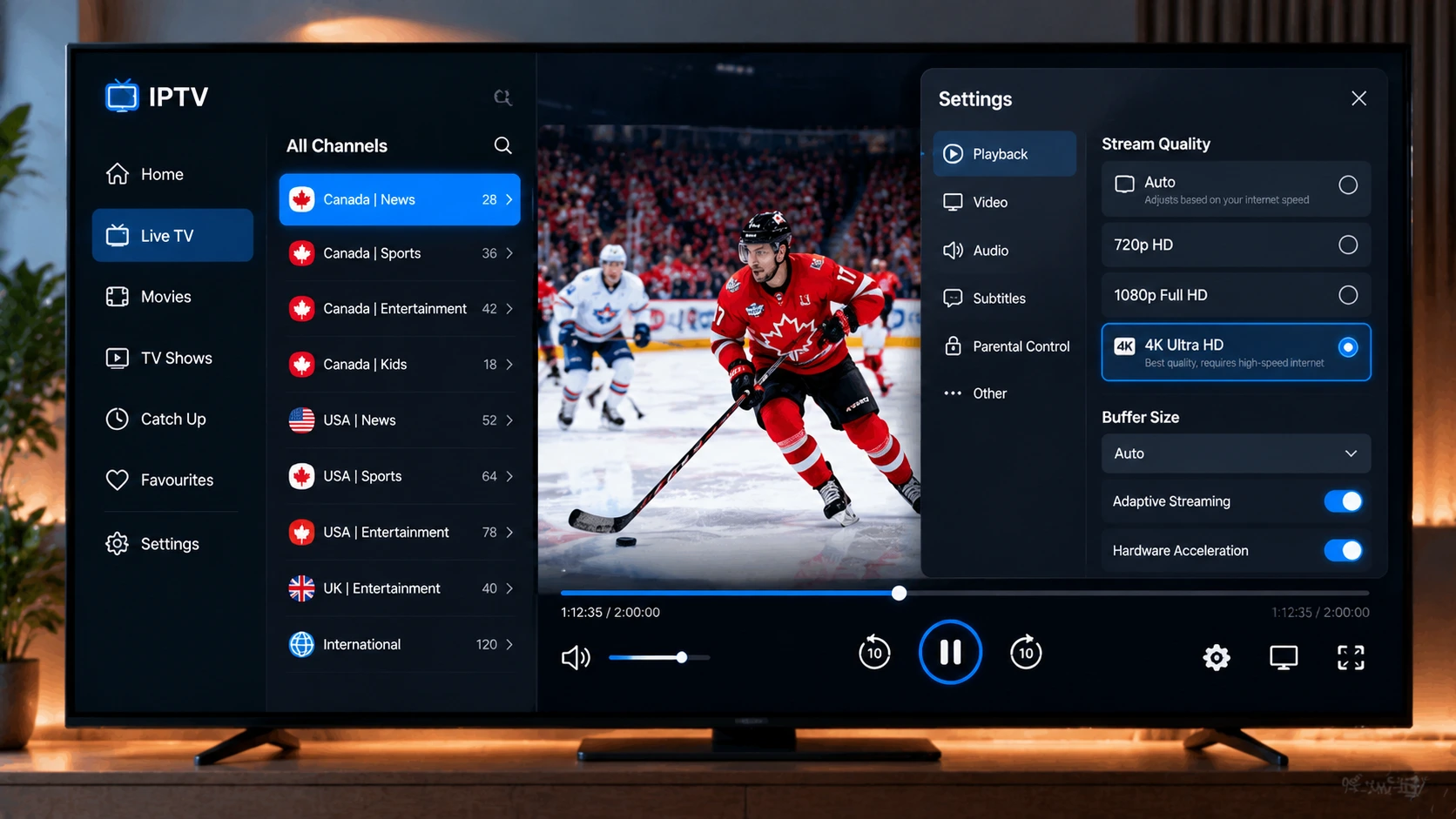
- Set your device to 4K output and enable HDR (or “match dynamic range” on Apple TV and Android TV).
- Enable match frame rate for smoother sports motion.
- Turn on HDMI enhanced format (called “Input Signal Plus”, “HDMI Ultra HD Deep Colour” or similar) for the HDMI port your device uses — otherwise your TV may limit the signal.
- Use a larger buffer in your player for 4K live sports.
- Disable heavy motion smoothing if it causes artifacts during fast play.
Common 4K Problems
| Problem | Fix |
|---|---|
| 4K channel buffers but HD is fine | Not enough bandwidth — use Ethernet or watch the HD version during busy times |
| Picture looks washed out | HDR settings mismatch — enable match dynamic range |
| No 4K option on the device | Wrong HDMI port, old cable or HDMI enhanced format disabled |
| Audio out of sync | Try a different audio output format or restart the stream |
For general streaming problems, see our IPTV buffering guide.
Is 4K IPTV Worth It?
If you have a large 4K HDR TV and watch major sports events, yes — the difference in big games is real. For everyday news and shows, a good HD stream on a quality TV looks excellent. The good news is that you do not need a special plan: all StreamX plans include 4K channels where available. Test them with our free trial during a big game.
Frequently Asked Questions
What do I need to watch 4K IPTV?
A 4K TV, a 4K-capable streaming device such as a Fire TV Stick 4K Max, Nvidia Shield or Apple TV 4K, a High Speed HDMI cable and at least 25 Mbps per 4K stream.
Is all IPTV content in 4K?
No. Most live channels in Canada are broadcast in HD. True 4K is mainly available for select live sports events and on-demand movies.
How much internet speed does 4K IPTV need?
Plan for at least 25 Mbps per 4K stream, plus extra for any other devices streaming at the same time.
How much data does 4K IPTV use?
Roughly 7 GB per hour or more, more than double HD streaming.
Why doesn’t my 4K IPTV channel look sharper than HD?
The channel may be upscaled HD, your device may be outputting 1080p, or the TV’s HDMI enhanced format may be turned off.







