

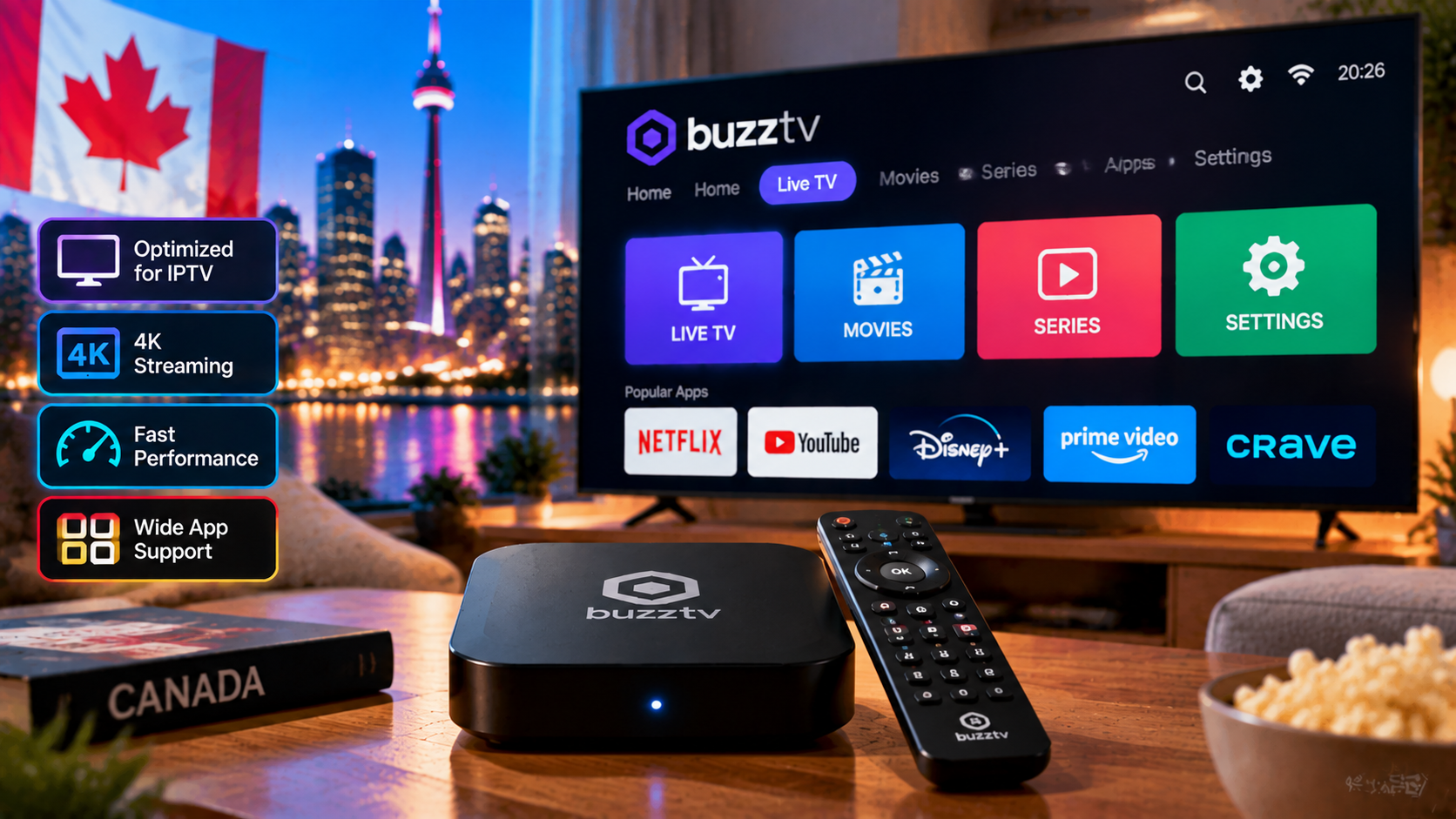
To get the most out of a BuzzTV box, pair it with a dependable IPTV service.
Written by the StreamX Editorial Team — Updated October 2026
BuzzTV has built a loyal following among Canadian IPTV users who want a dedicated, cable-box-style experience rather than a general-purpose streaming stick. Its boxes run Android, come with a purpose-built IPTV player and remote, and are widely sold through Canadian retailers and resellers. But they cost considerably more than a Fire TV Stick, so is a BuzzTV box worth it? This buyer’s review looks at the lineup, what BuzzTV does well, where it falls short, and who should — and should not — buy one.
Verdict: A BuzzTV box is worth it if you want a dedicated IPTV device with a cable-style remote, wired Ethernet, built-in recording and an interface that non-technical family members find familiar. If you mainly want value, portability or the newest apps, a Fire TV Stick 4K Max or a certified Google TV device is a better buy. Remember: BuzzTV sells hardware only — channels come from your IPTV subscription.
The BuzzTV Lineup at a Glance
| Model family | Positioning | Notable features |
|---|---|---|
| XRS 4900 | Flagship | Powerful Amlogic S922X processor, premium ARQ-series remote, 4K HDR |
| XRS4500 / XRS4500 Max | Upper mid-range | 4K HDR, good performance for large playlists |
| Essentials series | Entry-level | Lower price for secondary TVs |
| Vidstick (ST series) | Stick form factor | Portable, plugs straight into HDMI |
Specifications and model names change as new versions launch, so check current details with your retailer. Setup steps for any model are in our BuzzTV setup guide.
What BuzzTV Does Well
- Cable-style experience: the built-in player, guide button and number keys feel familiar to people coming from Bell or Rogers boxes — a big plus for parents and grandparents.
- Dedicated remote: IPTV-focused buttons, programmable keys and TV control on many models.
- Wired Ethernet: the most reliable connection for live sports.
- Recording: many models record to USB storage from the built-in player — see our IPTV recording guide.
- Android flexibility: install TiviMate or IPTV Smarters alongside the built-in player.
- Canadian availability: widely sold in Canada with local support channels.
Where BuzzTV Falls Short
- Price: considerably more than a Fire TV Stick, and premium models approach Nvidia Shield territory.
- Not a certified Google TV experience on every model: some streaming apps may be limited compared with certified devices — check before buying if Netflix 4K or similar matters to you.
- Software updates: depend on BuzzTV’s release schedule; older models eventually stop receiving them.
- “Loaded” resellers: some sellers bundle BuzzTV boxes with unknown IPTV services. Buy the hardware on its own and choose your provider separately using our provider checklist.
BuzzTV vs the Alternatives
| BuzzTV | Formuler | Fire TV Stick 4K Max | Nvidia Shield | |
|---|---|---|---|---|
| Best for | Cable-style IPTV | Cable-style IPTV with MYTVOnline | Value and simplicity | Performance and long support |
| Built-in IPTV player | Yes | Yes (MYTVOnline) | No | No |
| Ethernet | Yes | Yes | Adapter | Yes |
| Google Play certified | Varies by model | Varies (GTV models certified) | No (Amazon Appstore) | Yes |
| Price range | Mid to high | Mid to high | Low | High |
For a deeper comparison, read Formuler vs BuzzTV vs Android box, Firestick vs Android box and our guide to the best Android TV boxes in Canada.
BuzzTV XRS4900: Hardware Up Close
The flagship is where BuzzTV shows what the platform can do, so it is worth knowing exactly what you get for the money.
| Spec | BuzzTV XRS4900 |
|---|---|
| Processor | Amlogic S922X (hexa-core) |
| RAM | 4 GB DDR4 |
| Storage | 128 GB eMMC, plus an internal 2.5″ SATA bay for a hard drive or SSD |
| Operating system | Android 9 with the BuzzTV 5 interface |
| Video | 4K via HDMI 2.1, H.265/VP9/AVS2 decoding |
| Networking | Dual-band 2×2 Wi-Fi, Gigabit Ethernet, Bluetooth |
| Ports | HDMI 2.1, 2× USB 3.0, USB-C, optical audio, AV out, microSD |
| Remote | ARQ-100 double-sided remote: QWERTY keyboard on the back plus a gyro air-mouse |
The standout here is storage. The 128 GB of built-in space plus a SATA bay means the XRS4900 doubles as a local recorder and media server — useful if you lean on catch-up and DVR features. The ARQ-100 remote is also a genuine differentiator: the keyboard side makes logins and search far less painful than tapping letters on a standard D-pad.
What a BuzzTV Box Costs in Canada (2026)
A BuzzTV box is a one-time purchase and is separate from your monthly service. As a rough guide to 2026 street prices in Canada: the Essentials series runs about CA$120–150, the XRS4500 / XRS4500 Max about CA$170–210, the flagship XRS4900 about CA$230–270, and the VidStick around CA$70–90. Prices shift with sales and retailer, so treat these as ballpark figures rather than fixed numbers.
Remember the box is only half the equation — it still needs a dependable IPTV subscription in Canada behind it, and if you want genuine Ultra HD playback, see our 4K IPTV guide for the bandwidth you will need.
Who Should Buy a BuzzTV Box?
| Buy BuzzTV if… | Skip it if… |
|---|---|
| You want a cable-like box for less tech-savvy family members | You want the cheapest way to start IPTV |
| Your TV is near the router and you want Ethernet | You travel and want something portable |
| You want built-in recording without paying for app upgrades | You mostly use Netflix, Crave and YouTube |
| You like a dedicated IPTV remote | You already own a capable Android TV or Fire OS device |
Buying Tips
- Buy from an authorized retailer and keep your receipt.
- Check which model you are getting and its software update status.
- Do not pay extra for “lifetime channels” bundled with the box.
- Test your IPTV service first on a device you already own with a free trial.
Our Take
BuzzTV makes solid, purpose-built IPTV hardware that shines in households that want TV to feel like cable again. If that is you, it is a good investment. If you are price-sensitive or comfortable with apps, a Fire TV Stick 4K Max delivers most of the experience for much less. Either way, StreamX works on both — see the options on our pricing page, and compare hardware in our IPTV box guide.
Frequently Asked Questions
Is a BuzzTV box worth it?
Yes, if you want a dedicated cable-style IPTV device with Ethernet, a purpose-built remote and recording. For value or portability, a Fire TV Stick 4K Max is a better choice.
Does BuzzTV include channels?
No. BuzzTV sells hardware and a player app. You need a separate IPTV subscription.
Which BuzzTV model is best?
The XRS 4900 is the flagship with the most power. The XRS4500 series offers strong performance for less, and Essentials models suit secondary TVs.
Can I install TiviMate on a BuzzTV box?
Yes. BuzzTV boxes run Android, so you can install TiviMate or IPTV Smarters alongside the built-in player.
BuzzTV or Formuler: which is better?
Both offer cable-style IPTV with dedicated remotes and Ethernet. Formuler’s MYTVOnline is very popular, while BuzzTV’s built-in player and remote are favoured by many. Compare features and price for your needs.
Does a BuzzTV box support recording?
Yes. Most current BuzzTV models support USB recording through the built-in player, and the XRS4900’s internal SATA bay lets you add a dedicated drive for a proper DVR setup — one of the main reasons buyers choose BuzzTV over a streaming stick.
Is a BuzzTV box good for 4K?
It is. The XRS4900 and XRS4500 Max output 4K HDR over HDMI 2.1, so picture quality is not the limiting factor — your internet speed and the quality of your source are. Our 4K IPTV guide covers what you actually need for real Ultra HD.
Do I need a VPN with a BuzzTV box?
A VPN is optional, not required. Some Canadian users run one for privacy on their connection; BuzzTV boxes run Android, so a VPN app installs like any other. See our best VPN for IPTV guide if you want to weigh it up.







