


Written by the StreamX Editorial Team — Updated October 2026
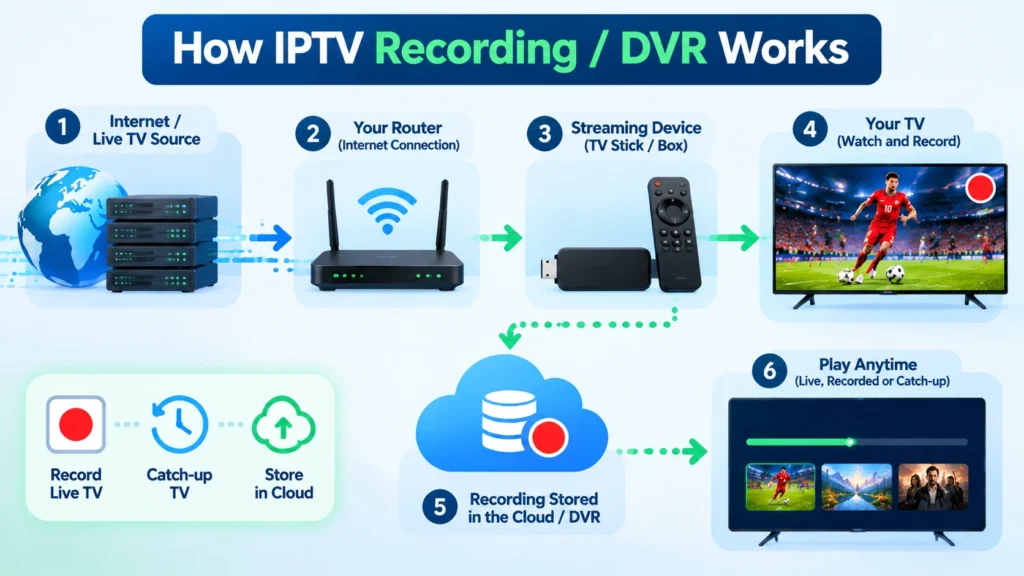
One of the few things people miss after leaving cable is the PVR — recording a show while you are at work, or saving a late playoff game for the morning. IPTV can do this too, but recording works differently: it depends on your player app, your device’s storage and whether your provider offers catch-up. This guide explains every option for recording with IPTV in Canada and how to set it up.
Quick answer: You can record IPTV with apps like TiviMate Premium, OTT Navigator, the Formuler MYTVOnline and BuzzTV players, saving to a USB drive or internal storage on Android TV devices. Schedule recordings from the TV guide just like a cable PVR. Many providers also offer catch-up (watching shows from the past few days without recording), which is often easier. Recording on iPhone, Roku and most smart TV apps is limited or unavailable.
Recording vs Catch-Up: What’s the Difference?
| Recording (local DVR) | Catch-up / archive | |
|---|---|---|
| Where it’s stored | On your device or USB drive | On the provider’s servers |
| Setup | Schedule in advance | Nothing — go back in the guide |
| How long it’s kept | Until you delete it | Usually a few days, varies by channel |
| Storage needed | Yes (roughly 1.5–3 GB per HD hour) | None |
| Availability | Depends on app and device | Depends on provider and channel |
Which Apps and Devices Can Record?
| App / device | Recording | Notes |
|---|---|---|
| TiviMate Premium (Android TV, Fire TV) | Yes | Schedule from the guide; series recording; save to internal or USB storage |
| OTT Navigator (Android) | Yes | Free recording features |
| Formuler MYTVOnline | Yes | To USB drive |
| BuzzTV player | Yes (many models) | Built-in recording on supported boxes |
| IPTV Smarters Pro | Limited | Basic recording on some versions; catch-up preferred |
| Apple TV / iPhone apps | Rarely | Rely on catch-up |
| Samsung / LG / Roku apps | Rarely | Rely on catch-up |
If recording matters to you, an Android TV box or Fire OS device with TiviMate is the most flexible choice. See our TiviMate setup guide, our Formuler guide and our BuzzTV guide.
Setting Up Storage
- Internal storage: Fire TV Sticks have limited space (8–16 GB), enough for a few hours at most.
- USB drive: Android TV boxes with USB ports can use a USB flash drive or external hard drive. A 128 GB drive holds roughly 40–80 hours of HD.
- Fire TV Cube or OTG adapter: some Fire TV devices can use USB storage with an adapter.
- Network storage: advanced apps can record to a NAS on your home network.
Format the drive as the app or device recommends, and set it as the recording location in the app’s settings.
How to Schedule a Recording in TiviMate
- Make sure TiviMate Premium is active.
- Go to Settings > Recording and choose the storage location.
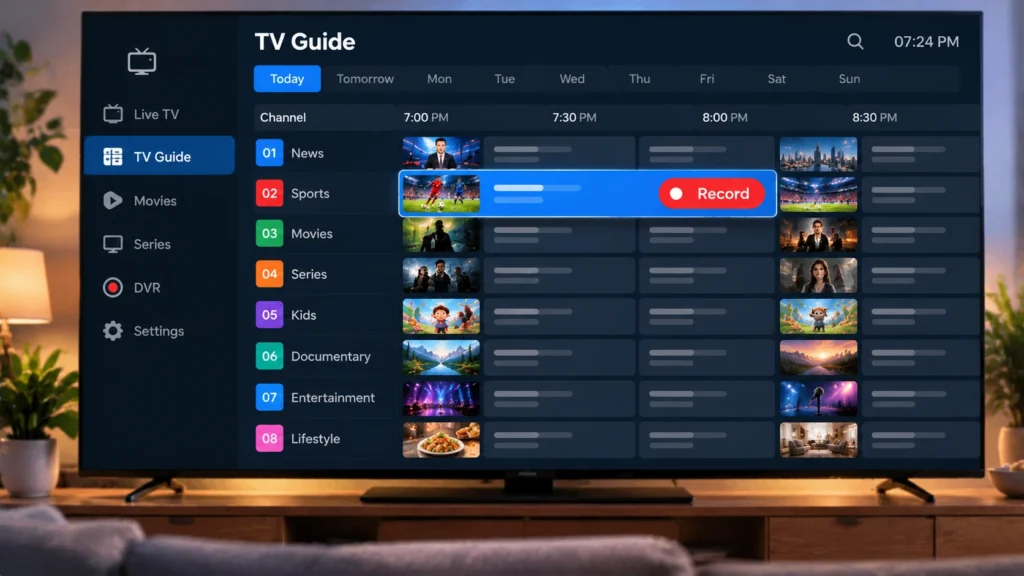
- Open the TV guide, find the programme and press OK.
- Choose Record for a single episode or Record series for every episode.
- Find recordings in the Recordings section of the menu.
Tip: add a few minutes of padding before and after — live sports often run long.
Using Catch-Up Instead
If your provider supports catch-up, channels with an archive show a small icon in the guide. Simply scroll back in the guide and select a past programme to play it. It is ideal for missed news and overnight games — including cricket and international football played at awkward Canadian hours. An accurate TV guide is essential for catch-up; see our EPG guide.
Troubleshooting Recordings
- Recording failed: check free space and that the USB drive is still mounted.
- Recording stops early: add end padding, and make sure the device does not go to sleep.
- Choppy playback: use a faster USB drive (USB 3.0) and avoid recording two streams on a slow stick.
- Uses up a screen: recording counts as a connection on your plan, so recording one channel while watching another needs a 2-device plan or higher.
The Most Reliable DVR Setup
If recording matters to you, the most dependable setup is a dedicated box with its own storage rather than a stick. An IPTV box such as a Formuler or BuzzTV with a USB drive (or the BuzzTV XRS4900’s internal SATA bay) records straight to local storage, while on a Firestick you rely on a player’s recording feature like TiviMate Premium plus a plugged-in USB drive. Wired Ethernet also makes scheduled recordings far more reliable than Wi-Fi.
For the player side, our TiviMate setup guide covers scheduling, and if you are choosing hardware, the Formuler vs BuzzTV vs Android box comparison shows which records best.
Respect the Rules
Recording is for personal viewing at home. Canada’s Copyright Act contains rules about time-shifting and personal use; sharing or redistributing recordings is not permitted.
Get Started
StreamX works with TiviMate, OTT Navigator, Formuler and BuzzTV players for recording, on every plan. Need to record while watching? Choose a multi-device plan on our pricing page, and test everything with a free 24-hour trial. For a full list of capable players, see our best IPTV apps for Android.
Frequently Asked Questions
Can you record with IPTV?
Yes. Apps such as TiviMate Premium, OTT Navigator, Formuler MYTVOnline and BuzzTV players can record IPTV channels to internal storage or a USB drive.
What is IPTV catch-up?
Catch-up lets you watch programmes from the past few days directly from the TV guide, without recording them yourself, if your provider supports it.
How much storage do IPTV recordings need?
Roughly 1.5 to 3 GB per hour of HD. A 128 GB USB drive holds about 40 to 80 hours of HD recordings.
Can I record IPTV on a Firestick?
Yes, with an app like TiviMate Premium, but internal storage is small. Devices that support USB storage are better for frequent recording.
Does recording use one of my IPTV screens?
Yes. A recording counts as a connection, so recording while watching another channel requires a plan with at least two devices.
What is the best device for recording IPTV?
A dedicated box with storage (a BuzzTV or Formuler with a USB drive or SATA bay) is the most reliable. On a Firestick or Android box, TiviMate Premium plus a USB drive does the job well. A wired connection keeps scheduled recordings from failing.
How much storage do IPTV recordings need?
Roughly 2–4 GB per hour for HD and more for 4K, so a 1 TB drive holds hundreds of hours of HD. Catch-up, where your provider offers it, lets you rewind recent programmes without using any of your own storage.







