

Written by the IPTVCND Editorial Team — Updated October 2026
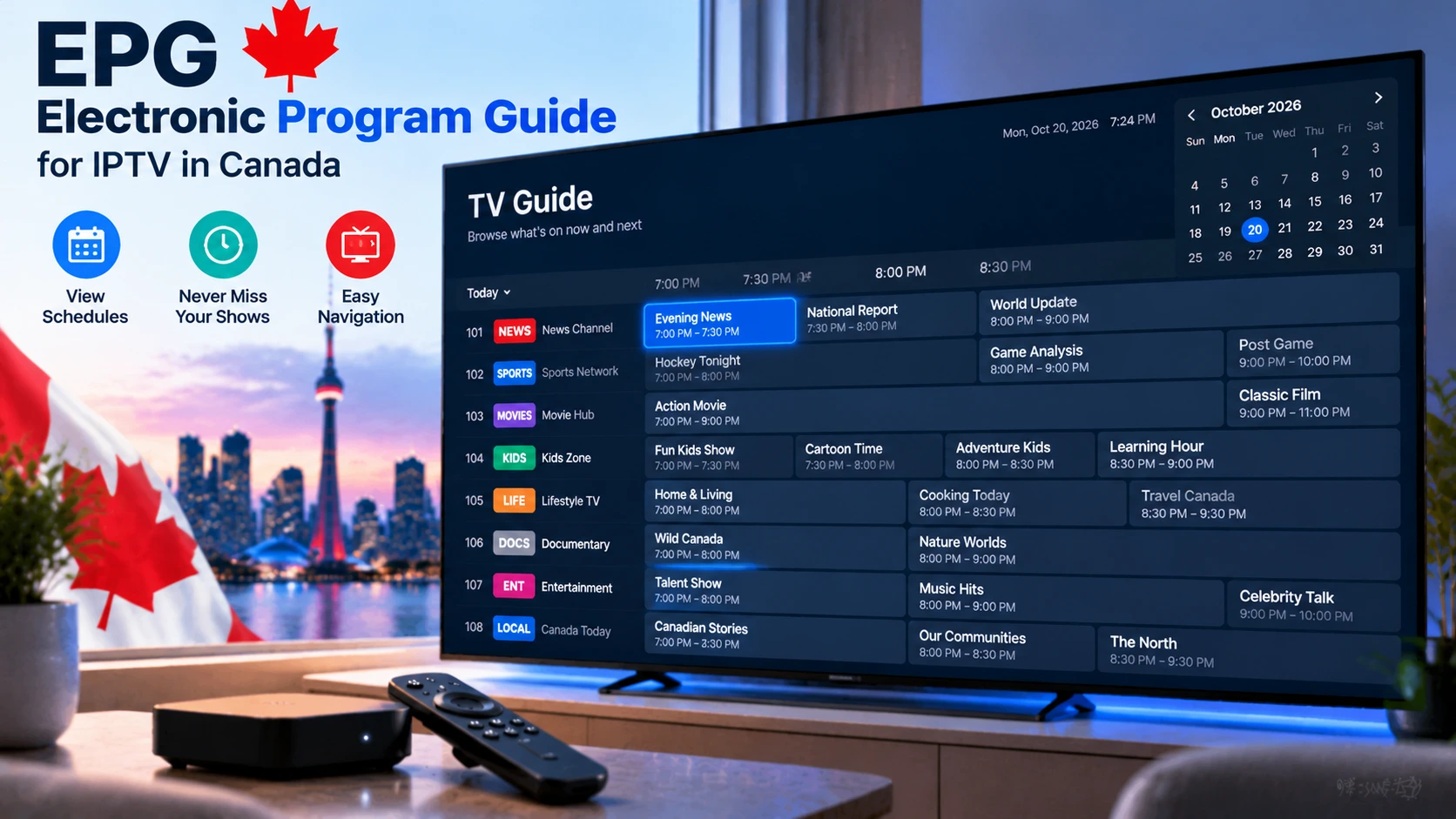
The EPG is what turns a list of thousands of channels into something that feels like real television. Without it, you are flicking blindly through channels; with it, you can see what is on now and next, set recordings, find tonight’s game in seconds and use catch-up. But EPGs are also the part of IPTV that most often goes wrong — empty listings, times off by an hour, or a guide that takes forever to load. This guide explains what an EPG is and how to set it up and fix it for Canadian time zones.
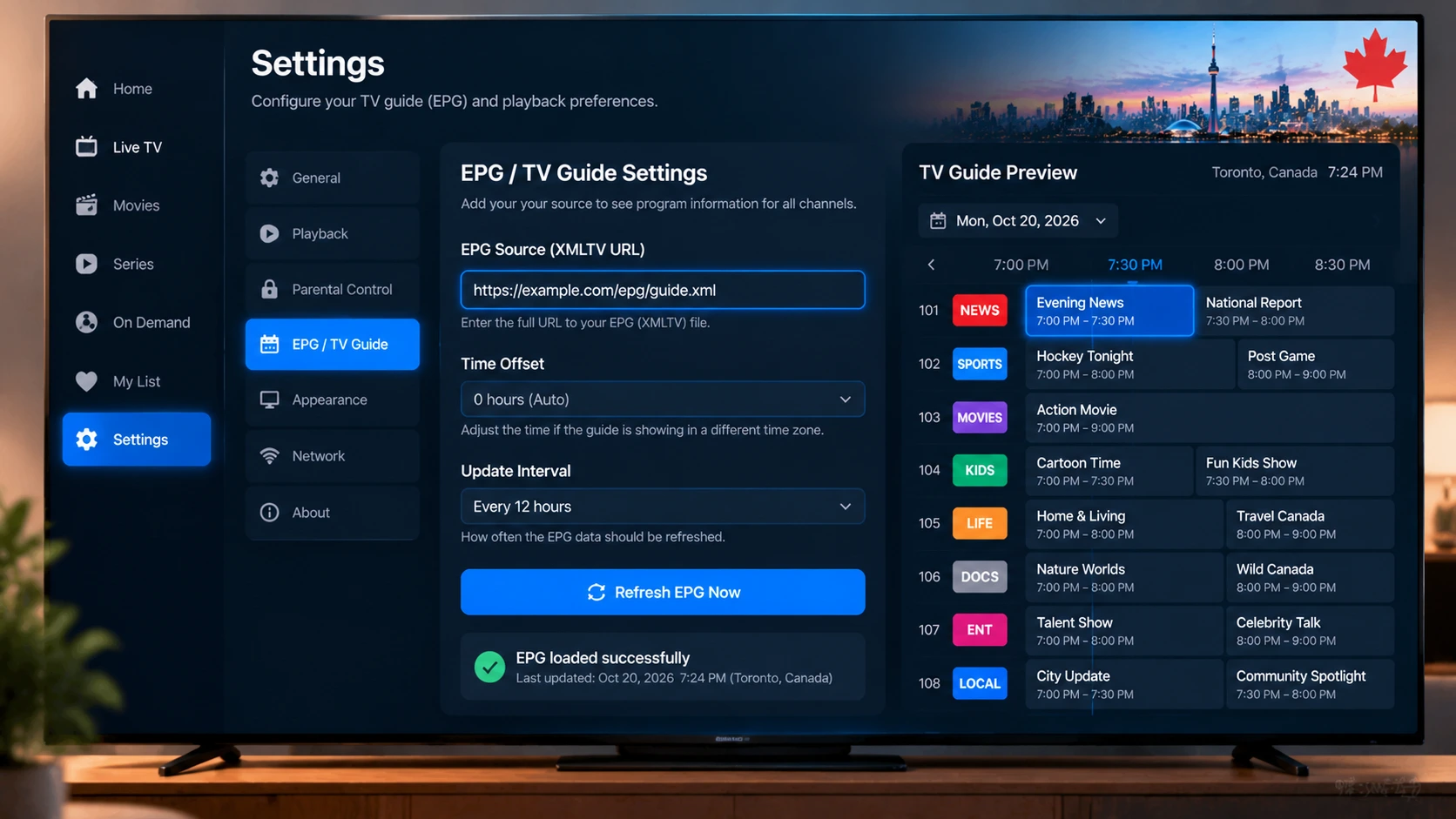
Quick answer: EPG stands for Electronic Programme Guide — the TV schedule data your IPTV app displays. With Xtream Codes login, the EPG usually loads automatically. With an M3U playlist, add your provider’s XMLTV EPG URL in the player’s EPG settings. If times are wrong, check your device’s time zone first, then adjust the EPG time shift in your player. Refresh the guide once a day.
What an EPG Does
- Shows what is on now and next on every channel.
- Displays the full grid guide for upcoming days.
- Powers search (for example, “Maple Leafs”).
- Enables scheduled recordings and reminders — see our IPTV recording guide.
- Makes catch-up possible where your provider supports it.
EPG data is usually delivered in XMLTV format, a standard file that lists channels and programmes with start and end times.
How EPG Matches Channels
Each channel in your playlist has an ID (often called tvg-id in M3U playlists). The EPG file uses the same IDs, so your player can match “TSN 4” in your channel list to “TSN 4” in the guide data. When IDs do not match, that channel shows “No information”. This is why the EPG supplied by your own provider usually works better than random public EPG sources.
Setting Up EPG in Popular Players
| Player | With Xtream Codes | With M3U |
|---|---|---|
| TiviMate | Automatic | Settings > EPG > Add EPG source > paste XMLTV URL |
| IPTV Smarters Pro | Automatic; use “Install EPG” in settings if blank | Limited — prefer Xtream |
| Kodi (PVR IPTV Simple Client) | N/A | Configure > EPG > Remote path > XMLTV URL |
| Apple TV players (IPTVX, UHF, iPlayTV) | Automatic | Add EPG URL in playlist settings |
| MAG / Formuler portals | Delivered by the portal automatically | |
Device-specific setup: TiviMate, Kodi, Apple TV, Formuler.
Where EPG Data Comes From
Understanding the source helps you fix guide problems fast. There are three common ways a guide gets populated:
- Your provider’s built-in EPG — with an Xtream login, the guide usually loads automatically. This is the easiest and most accurate option.
- A separate XMLTV / EPG URL — some M3U setups need you to paste a guide URL manually. Keep it matched to the same source as your channels.
- Third-party guide data — some players can pull public guide sources, but these may not match your channel names, which is what causes gaps.
If the guide is empty, the fix is almost always the source: use your provider’s Xtream login or official EPG URL rather than a mismatched third-party one. Our TiviMate and IPTV Smarters guides show exactly where to enter it.
Fixing Wrong Times in Canada
Canada spans six time zones, from Newfoundland (UTC−3:30) to Pacific (UTC−8), and most provinces switch for daylight saving time. Wrong guide times almost always come from one of three things:
- Device time zone: check your Fire TV, Android TV or Apple TV settings — it should match your city, with automatic time enabled.
- EPG time shift in the player: if all channels are off by the same amount, set a shift (for example −1 or +3 hours) in your player’s playlist or EPG settings.
- Channel feed vs your zone: an Eastern feed watched in Vancouver will show Eastern programming times. Many lineups include both East and West feeds for networks like CTV and Global.
Saskatchewan does not observe daylight saving time, so households there may need to adjust shifts seasonally if their player does not handle it automatically.
Fixing Missing or Empty Listings
- Force an update: refresh the EPG in your player’s settings.
- Wait a few minutes: large guides take time to download, especially on first load.
- Use your provider’s EPG URL: generic public EPGs often do not match channel IDs.
- Check storage: low free space on Fire TV Sticks can stop the guide from saving — see our guide to clearing cache on a Firestick.
- Some channels have no guide data: 24/7 or event channels often show no listings; that is normal.
Speeding Up a Slow Guide
- Hide channel groups you never watch so the player processes less data.
- Reduce the number of days the guide stores (e.g. 3 instead of 7).
- Set the EPG to update once every 24 hours instead of on every app start.
- Use a faster device — see our Firestick vs Android box comparison.
Get a Reliable Guide
StreamX provides EPG data for Canadian channels with every plan, loaded automatically with Xtream Codes login. Check the guide for your favourite channels during a free 24-hour trial, and see plans on our pricing page. For more on login formats, read M3U vs Xtream Codes.
Frequently Asked Questions
What does EPG mean in IPTV?
EPG stands for Electronic Programme Guide. It is the TV schedule data your IPTV app uses to show what is on now and next on each channel.
Why is my IPTV guide showing the wrong time?
Your device’s time zone may be wrong, the player may need an EPG time shift, or you may be watching a feed from another time zone.
How do I add an EPG to TiviMate?
With Xtream Codes it loads automatically. For M3U playlists, go to Settings, EPG, add an EPG source and paste your provider’s XMLTV URL.
Why do some channels show no guide information?
The channel ID in your playlist may not match the EPG data, or the channel may be a 24/7 or event channel with no listings.
How often should the EPG update?
Once every 12 to 24 hours is enough for most households and keeps the app fast.
Do I need a separate EPG if I log in with Xtream Codes?
Usually not. An Xtream login normally pulls the guide in automatically, which is one of the main reasons players prefer it over a plain M3U link.
Why don’t the channel names match the guide?
That is an ID mismatch between the playlist and the guide data. Using your provider’s own matched EPG (rather than a third-party one) lines the names and times up correctly.







